Best FLAC Player for Mac: 2026 Guide
You play a 16/44.1 Charlie Miller SBD. Then a 24/96 studio reissue. Then a 24/192 HDtracks download. Most Mac players don't tell the DAC about any of it. CoreAudio's mixer picked one sample rate when you logged in, and every file gets bent to fit it. The Bifrost display reads “44.1” the whole afternoon. The 24/192 file did nothing the CD rip wouldn't have done.
A real Mac FLAC player does the opposite. It takes the device exclusive, switches the rate to match the file before the first sample plays, and the DAC display changes with every track. You can watch it happen.
Short answer if you want it now: the best FLAC player for Mac is whichever one takes the audio device exclusive and sends the file's native rate straight to your DAC. That list is short. Showboard (free, and yes, I built it), Audirvana (the upsampling benchmark), Colibri ($10, no frills), and Pine Player (free). Everything else on the usual listicles hands your FLAC to the system mixer and resamples it. The rest of this post is how to tell those two camps apart, and how to set it up.
What “FLAC player” really means on a Mac
Every media player on macOS decodes FLAC. The codec is open, the libraries are mature, and any app on the Mac that touches audio handles FLAC fine. That part is settled.
What isn't settled is what happens afterthe decoder. Between the decoded PCM and your DAC's input is where the players in this post separate from the players on every other “best FLAC player for Mac” listicle.
By default on macOS, all audio goes through CoreAudio's mixer. The mixer is what lets system sounds, your music player, and Safari's autoplay video share the same output device without crashing into each other. To do that, it picks one sample rate and resamples everything to match. If your output device is set to 44.1 kHz and your file is 96 kHz, the mixer downsamples the file. If your file is 24-bit and the device is set to 16-bit, the mixer dithers it down.
You can change the output device's bit depth and sample rate by hand in Audio MIDI Setup. Some people do. But you'd have to redo it every time you play a file with a different rate, which nobody is going to keep up with.
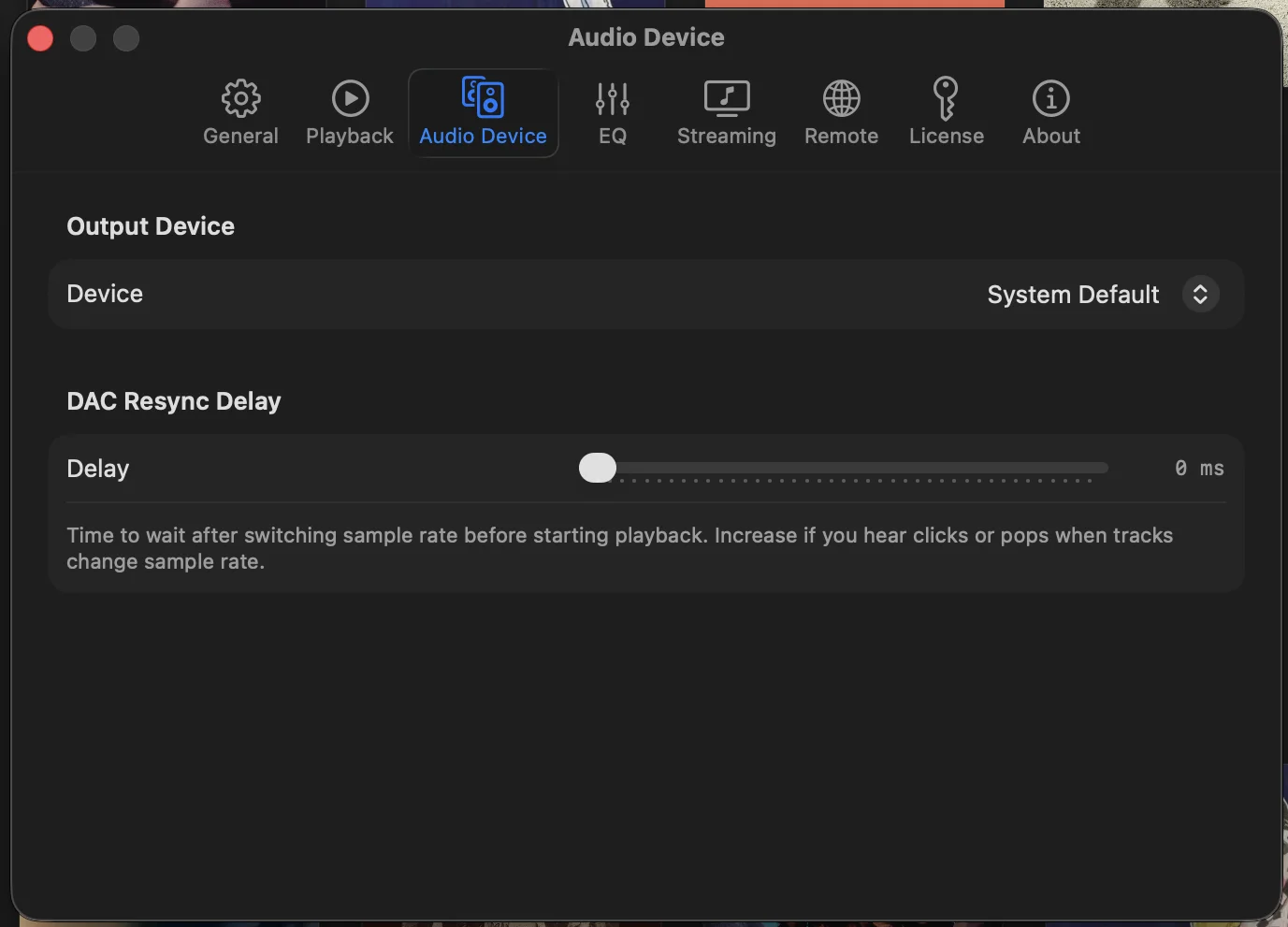
The fix is exclusive mode (sometimes called integer mode or hog mode). The player takes over the audio device, bypasses the mixer, and sends the file's native sample rate and bit depth straight to the DAC. The DAC receives exactly what's in the file. Bit-perfect.
That's the line. Two camps. The players in the first camp deliver FLAC. The players in the second deliver “FLAC, downsampled to whatever rate the system mixer felt like.”
Players that do bit-perfect
These take over the output device and ship the file's native rate to your DAC.
Audirvana
The benchmark. Audirvana Studio is $79.99/year. Audirvana Origin is $149.99 one-time, local files only.
Audirvana wrote the playbook for bit-perfect playback on the Mac. Kernel streaming, exclusive mode, automatic sample rate matching, DSD up to DSD512, optional upsampling with SOX and proprietary algorithms. The audio engine is the cleanest commercial implementation on the Mac short of HQPlayer, and the upsampling controls are deeper than anything else in the category. For a decade it was the answer if you cared about the chain.
The annoying part is the subscription on Studio. Origin solves it for local files, but if you want TIDAL or Qobuz integration, you're back on the yearly plan. If you mostly listen to studio albums, run a single DAC, and want the most polished upsampling engine, Audirvana is still the player to beat.
Showboard
Free, Mac only. Full disclosure: I built it.
Bit-perfect via CoreAudio HAL exclusive mode. DSD playback (DSD64 via DoP). Automatic sample rate matching. Signal path display so you can verify the chain end to end. The audio engine and the verification view are the parts to focus on here, because the rest of the value proposition is about live recordings.
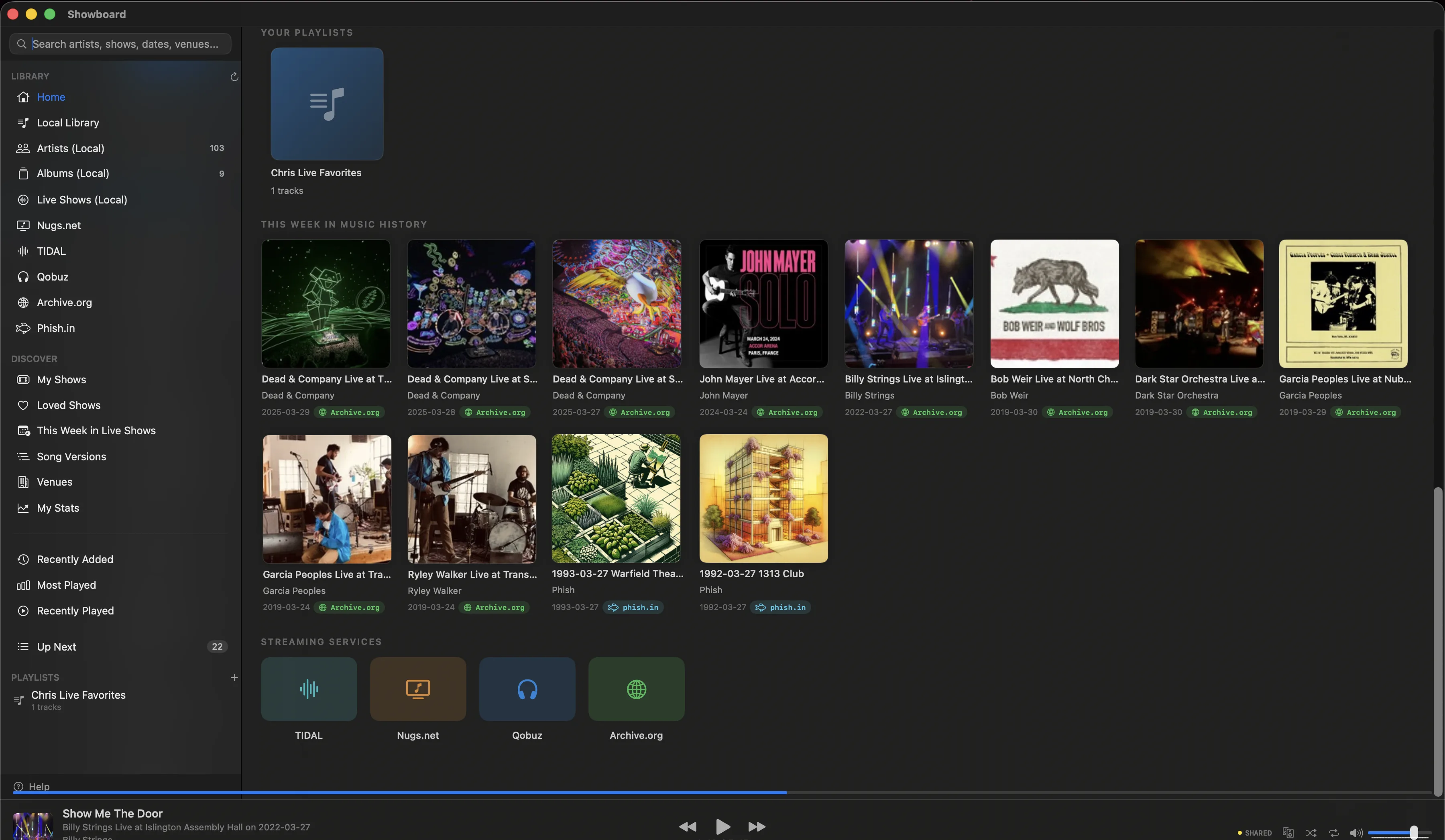
Showboard also handles six streaming sources (nugs.net, TIDAL, Qobuz, Archive.org, Phish.in, plus your local library) and treats live recordings as first-class with SBD/AUD/Matrix source badges, taper notes, and set break detection. If you mostly listen to FLAC studio albums and you want the deepest upsampling toolset, Audirvana is the more focused tool. If a real chunk of your library is live recordings, Showboard is the one built for that. It's free.
Roon
$14.99/month or $829.99 lifetime. Bit-perfect, RAAT, multi-room, deep metadata.
Worth its weight if you have endpoints in more than one room. Roon's multi-room is genuinely the best on the market, the metadata engine for studio albums is unmatched, and Roon Ready DACs and streamers just work. The audio chain itself is fine, but it's not better than Audirvana on a single output device, which is the math that matters if you're listening on one DAC with one pair of headphones. $14.99/month for the rest of your listening life is the part that quietly tips a lot of single-DAC listeners back toward Audirvana or one of the cheaper roon alternatives.
Colibri
$10, one-time. Lightweight, bit-perfect, exclusive mode. No DSD. No streaming. Local files only.
The most under-talked-about player on the Mac for what it costs. Minimal UI, fast, takes the device exclusive cleanly, switches sample rates without fuss. If your library is PCM-only and your needs end at “play the file, send the native rate to the DAC,” Colibri is the right answer at the right price. The catch is the DSD blind spot and the lack of any streaming integration. If you don't need either, stop reading here and buy Colibri.
Pine Player
Free. Exclusive mode capable. Basic UI.
It's free and the chain is real. Not the prettiest app on the list, and the UI hasn't moved much in years, but if you only need a player to hit a single DAC at the file's native rate and you don't want to spend a dollar yet, Pine Player does the job. A lot of people on the Hoffman forums started here.
Players that don't do bit-perfect
These decode FLAC fine. They just hand the PCM back to CoreAudio, which means everything gets resampled to whatever rate the output device was last set to. Your DAC sees the mixer's output, not the file.
- VOX:number one on most “best FLAC player for Mac” listicles, and yet it has no exclusive mode and routes every file through the system mixer. The free tier comes with a nag for VOX Premium and Loop cloud storage, which is the actual business model.
- IINA and VLC:video players that happen to handle audio. Both are excellent at what they're for. Neither does exclusive mode on macOS, and neither pretends to.
- Apple Music and Music.app: Apple's lossless decoding is real, including the high-res Apple Digital Master files. The “Apple Lossless” badge is honest about the decoder and silent about the output, which still routes through CoreAudio's mixer at whatever rate Audio MIDI Setup picked. You can switch device rates by hand in MIDI Setup before each track. The app won't do it for you, and your library is large enough that you won't.
- Swinsian:a thoughtful iTunes replacement, lean on resources, strong at library management. No exclusive mode, no streaming. If you want a clean local player and you don't need bit-perfect output, it's a fine pick at $25.
None of these are bad apps. They're the wrong tool if you have a DAC and you care about what reaches it.
Format support beyond FLAC
A pure FLAC library is easy. The players above all handle it. Mixed lossless libraries are where the coverage starts to differ.
- DSD:Audirvana and Roon do native DSD256, and Audirvana goes up to DSD512. Showboard plays DSD too, but as DSD64 over DoP, not native. Colibri and Pine Player don't touch DSD.
- ALAC, WAV, AIFF: every player on the list handles these, including the ones that don't do bit-perfect.
- WavPack: Audirvana, Showboard, Roon. Colibri reads it. VLC reads it.
- Niche formats (APE, TAK, Monkey's Audio): coverage varies by player. If your library has these, check each player's format list before you commit.
Signal path visualization
Most worth checking before you commit to any of these: can you verify the chain?
A signal path display shows you, in real time, what's being sent to the DAC. File format. Decoder. Sample rate. Bit depth. Mode (integer or stream). What the DAC is receiving on the other end.
Audirvana shows it. Showboard shows it. Roon shows it. Colibri and Pine Player don't, which means you're back to verifying exclusive mode through the DAC's own front-panel readout or Activity Monitor.
If you're spending money on both a player and a DAC, the signal path view is the receipt. It's how you know the bits coming out of the Mac are the bits in your file.
How to play FLAC on Mac, step by step
You don't need to touch Terminal or read a forum thread from 2014. Five steps, about five minutes, and your FLAC files reach the DAC exactly as they were ripped. This works the same on any recent macOS, Sonoma or later.
- Install a player that does exclusive mode. This is the whole game. Apple Music and the usual listicle picks hand your audio to the CoreAudio mixer. Showboard, Audirvana, and Colibri take the device exclusive instead. Pick one from the bit-perfect group below.
- Point it at your FLAC folder. Drop in the directory where your files already live. A good player reads your embedded tags and leaves your folder structure alone. No re-import, no copying 4TB into a walled library.
- Select your DAC and turn on exclusive mode. In audio settings, choose your DAC as the output and flip on exclusive mode (some apps call it integer or hog mode). The player now owns the device and the system mixer is out of the path.
- Switch on automatic sample rate matching. A 16/44.1 Charlie Miller SBD and a 24/192 studio master should each play at their own rate. With matching on, the player tells the DAC to follow the file. You never open Audio MIDI Setup again.
- Watch the signal path and confirm. Hit play and check the signal path view, then glance at the DAC's front panel. The rate should change track to track. That changing number is the proof your output is bit-perfect.
That's it. The same five steps apply whether you searched for “play flac on mac,” “flac player macos,” or “best flac player mac 2026.” The player is the part that decides whether your DAC hears the file or hears the mixer's guess at the file.
Best FLAC player for Mac: comparison table
At-a-glance, sorted by price within each group. The dividing line is whether the player takes the audio device exclusive (bit-perfect) or hands the decoded PCM back to CoreAudio (resampled).
Bit-perfect (exclusive mode on macOS)
| Player | Price | Exclusive Mode | DSD | Streaming | Signal Path Display |
|---|---|---|---|---|---|
| Pine Player | Free | Yes | No | None | No |
| Colibri | $10 one-time | Yes | No | None | No |
| Showboard | Free | Yes (CoreAudio HAL) | DSD64 (DoP) | nugs.net, TIDAL, Qobuz, Archive.org, Phish.in | Yes |
| Audirvana Origin | $149.99 one-time | Yes | Yes | None (local only) | Yes |
| Audirvana Studio | $79.99/yr | Yes (kernel streaming) | Yes (DSD512) | TIDAL, Qobuz | Yes |
| Roon | $14.99/mo or $829.99 lifetime | Yes | Yes | TIDAL, Qobuz | Yes |
Not bit-perfect (route through CoreAudio mixer)
| Player | Price | Exclusive Mode | DSD | Streaming | Signal Path Display |
|---|---|---|---|---|---|
| VOX | Free / $4.99/mo | No | No | SoundCloud | No |
| Apple Music | Free / $10.99/mo | No | No | Apple Music | No |
| Swinsian | $25 one-time | No | No | None | No |
What to look for, in priority order
The line between a real FLAC player and a player that plays FLACs comes down to five things:
- CoreAudio HAL exclusive mode. Not “exclusive mode” in the vague sense. The specific Mac kernel-level mode that takes the audio device away from the system mixer. Apple's App Store sandbox blocks the entitlements this mode needs, which is why every serious player on this list ships as a direct download instead.
- Automatic sample rate matching. When you switch from a 44.1 kHz file to a 96 kHz file, the player tells the DAC to switch too. No clicks, no resampling.
- Signal path display. Real-time, showing the actual chain, with the DAC's confirmed input rate.
- DSD native + DoP.If you have a DAC that supports DSD, you want both options. Some DACs need DoP, some don't, some allow either.
- A pricing model you can live with. $14.99/month is about $180 a year is roughly $900 over five years. Run that math against your DAC, your headphones, and the rest of your gear before you commit to a subscription player.
What I run, and why
Showboard, on a Mac Mini, into a Bifrost 2/64 over USB. I built Showboard because the live-recording side of my library was the part nothing handled well, and the signal-path view is the screen I check every time the sample rate changes on the DAC.
Before Showboard I used Audirvana. Before that, Roon. Both did the chain correctly. Both cost more than I wanted to keep paying. The audio engine across the three of them is closer than any vendor will admit. Once you're bit-perfect, you're bit-perfect.
Pick the one whose feature set fits how you listen. The audio chain is the easy part. The rest of the player matters more than people think.
FLAC on Mac: quick questions
What is the best free FLAC player for Mac?
Pine Player. It is free and does real exclusive mode to a single DAC. The catch is no DSD, no streaming, and no signal path display. VOX tops most free listicles, but it routes every file through the system mixer, so it is not bit-perfect.
Does macOS play FLAC natively?
Yes. Every modern Mac decodes FLAC fine, including Music.app and Finder. What they do not do is exclusive mode, so the audio still goes through CoreAudio's mixer and gets resampled to whatever rate Audio MIDI Setup last picked.
Is Apple Music lossless bit-perfect on Mac?
No. The lossless decoding is real, but the output still routes through the system mixer at the device's current rate. A 24/96 file gets resampled unless you change Audio MIDI Setup by hand before every track, which nobody keeps up with.
How do I play FLAC bit-perfect on Mac?
Use a player with CoreAudio HAL exclusive mode (Showboard, Audirvana, Colibri, or Pine Player), point it at your library, enable exclusive mode for your DAC, and turn on automatic sample rate matching. The five steps are in the how-to above.
If Showboard sounds like the one
showboard.app. Download it free. No credit card, no purchase. Bring your DAC, watch the signal path view, and decide for yourself whether the chain is doing what it should.
Related posts
Download Showboard. It's free.
Download for Mac