Showboard vs Audirvana: Which Music Player Is Right for You?
Both Showboard and Audirvanaare audiophile music players for Mac. Both care about bit-perfect playback, exclusive DAC mode, and getting out of the way so your hardware can do what it was designed to do. But they were built for different listeners with different collections and different priorities. Here's how they compare.
Who they're built for
Audirvana is built for the hi-fi enthusiast. Someone who invests in studio albums, curates a library of reference recordings, and spends time optimizing their signal chain from source to speaker. It does that job well and has been doing it for over a decade.
Showboard is built for the live music collector. The person with 4TB of FLACs organized by date and venue. The person who subscribes to nugs.net, browses Archive.org for audience tapes, and still argues about which night of a three-night run was the best. If you have ever opened three different apps in one listening session because your recordings are scattered across three different sources, Showboard exists because of that exact frustration.
Live music features
This is where the two players diverge completely. Audirvana treats every file the same way: as a track in an album. It has no concept of a live show as a distinct object. No set breaks, no source type badges, no taper notes, no venue information, no concert diary. If you load a three-set Phish show from Big Cypress into Audirvana, it shows up as 30 tracks in an album. The context of the night is gone.
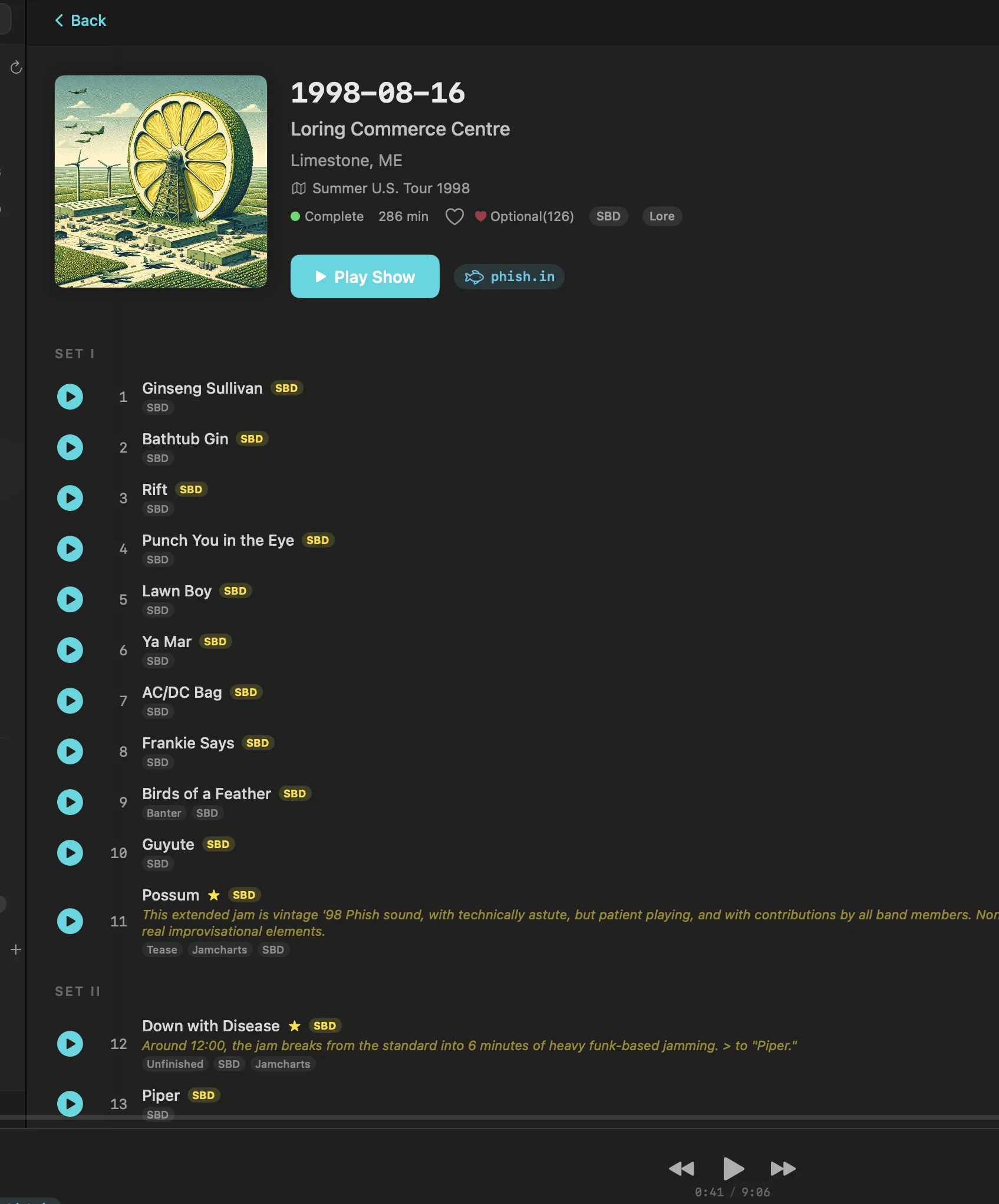
Showboard was designed around live recordings from the ground up. Every show has set breaks. Every recording carries a source badge (SBD, AUD, Matrix) so you know what you're hearing before you press play. Taper notes are displayed alongside the recording. The venue explorer lets you browse by location and see every show that happened there. The concert diary tracks what you've listened to over time, building a personal listening history tied to real dates and real venues.
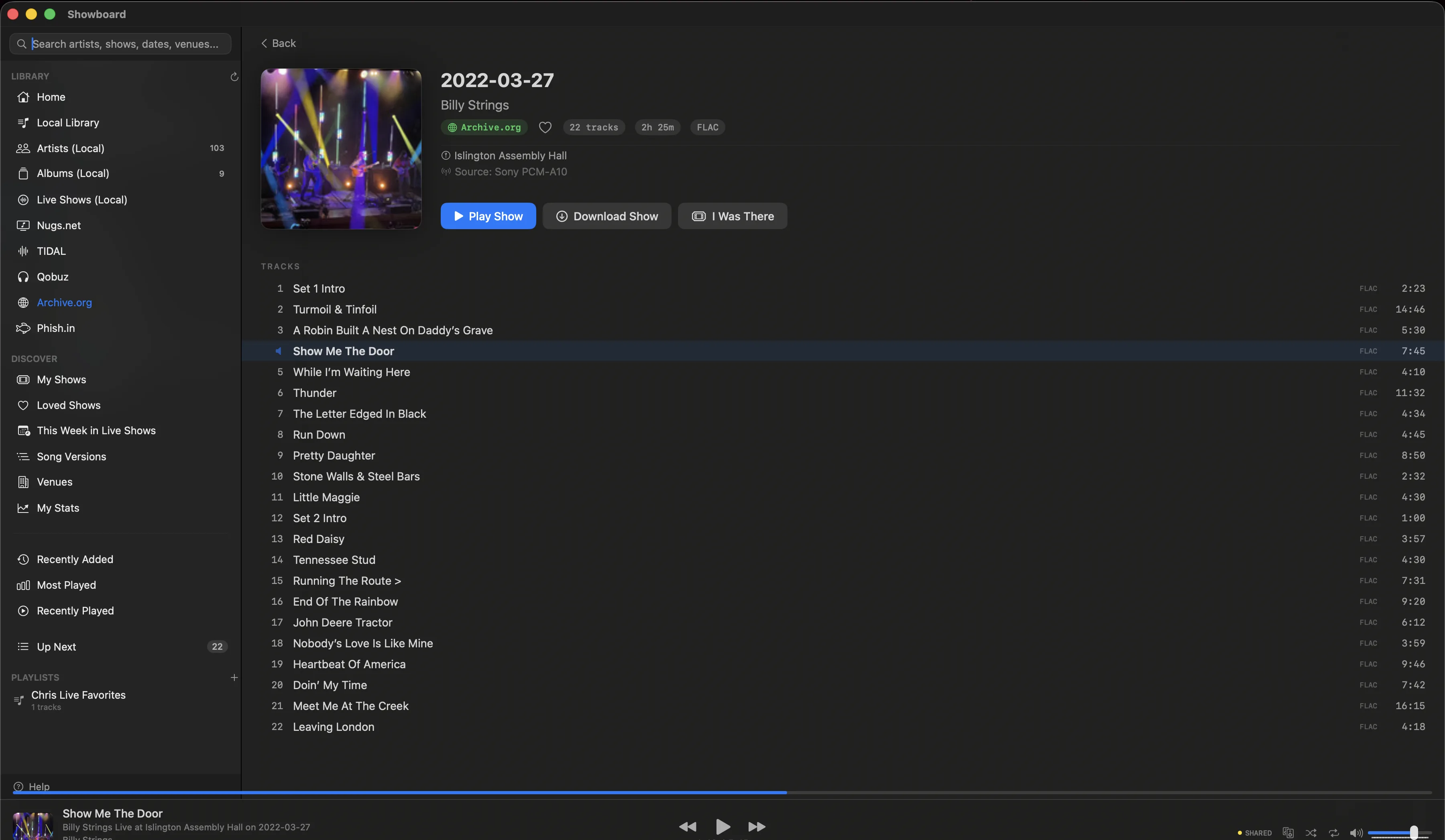
Pull up Goose at Red Rocks on 2023-09-09 in Showboard and you see two sets, the source type, the taper, the venue, and every song in order. Pull up the same files in Audirvana and you see a list of tracks. Same music, completely different experience.
Sources
Audirvana comes in two versions. Audirvana Studio connects to local files, TIDAL, and Qobuz. Three sources. Audirvana Origin connects to local files only. Neither version supports nugs.net, Archive.org, or Phish.in. If your collection spans those services, Audirvana cannot see it.
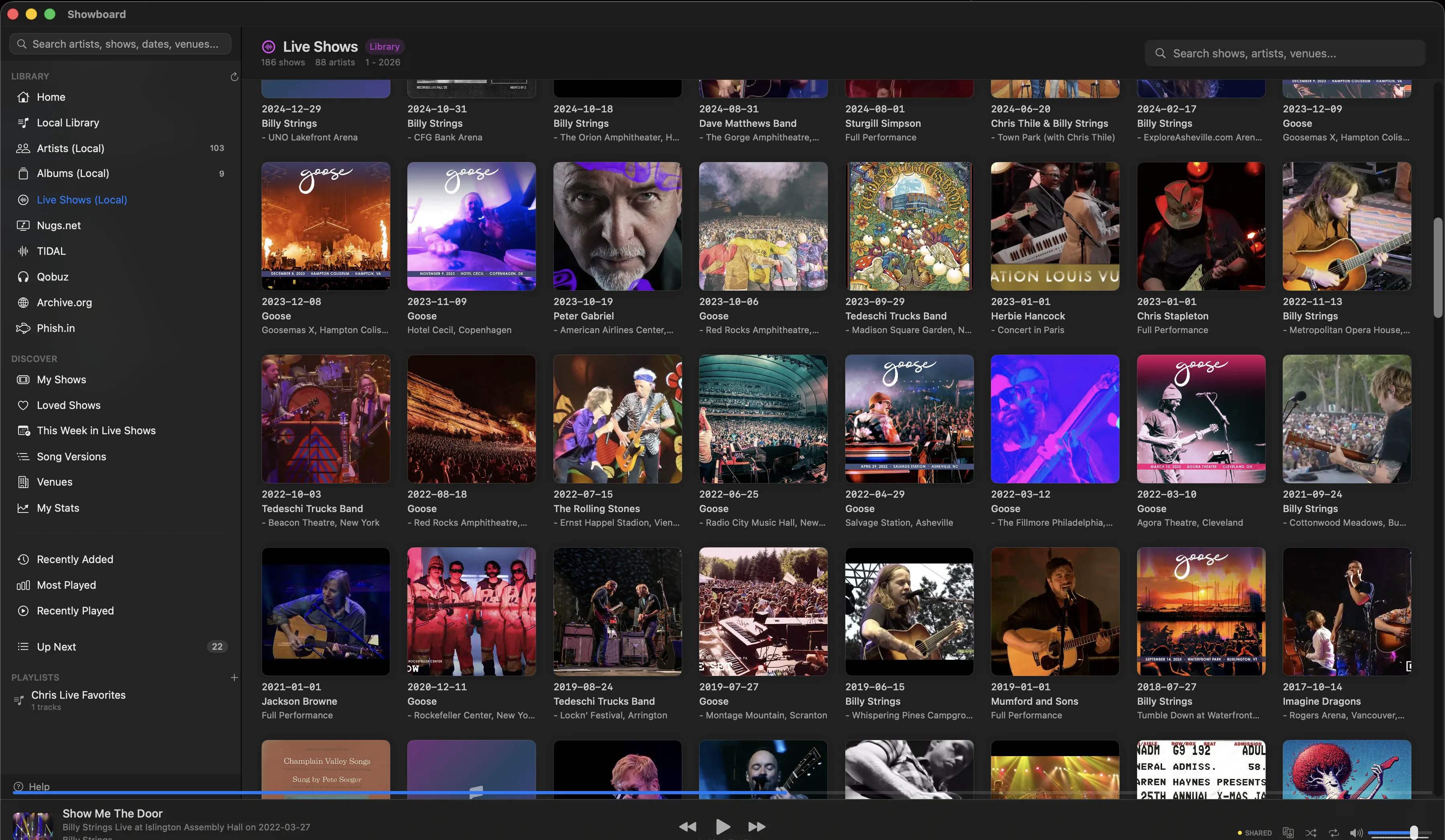
Showboard connects to six sources: local files, nugs.net, TIDAL, Qobuz, Archive.org, and Phish.in. All six appear in a single library. You can search across all of them at once, browse by artist or date, and move between a nugs.net soundboard and an Archive.org audience tape of the same show without switching apps. The whole point is that your collection lives in one place regardless of where the recordings actually come from.
Audio quality
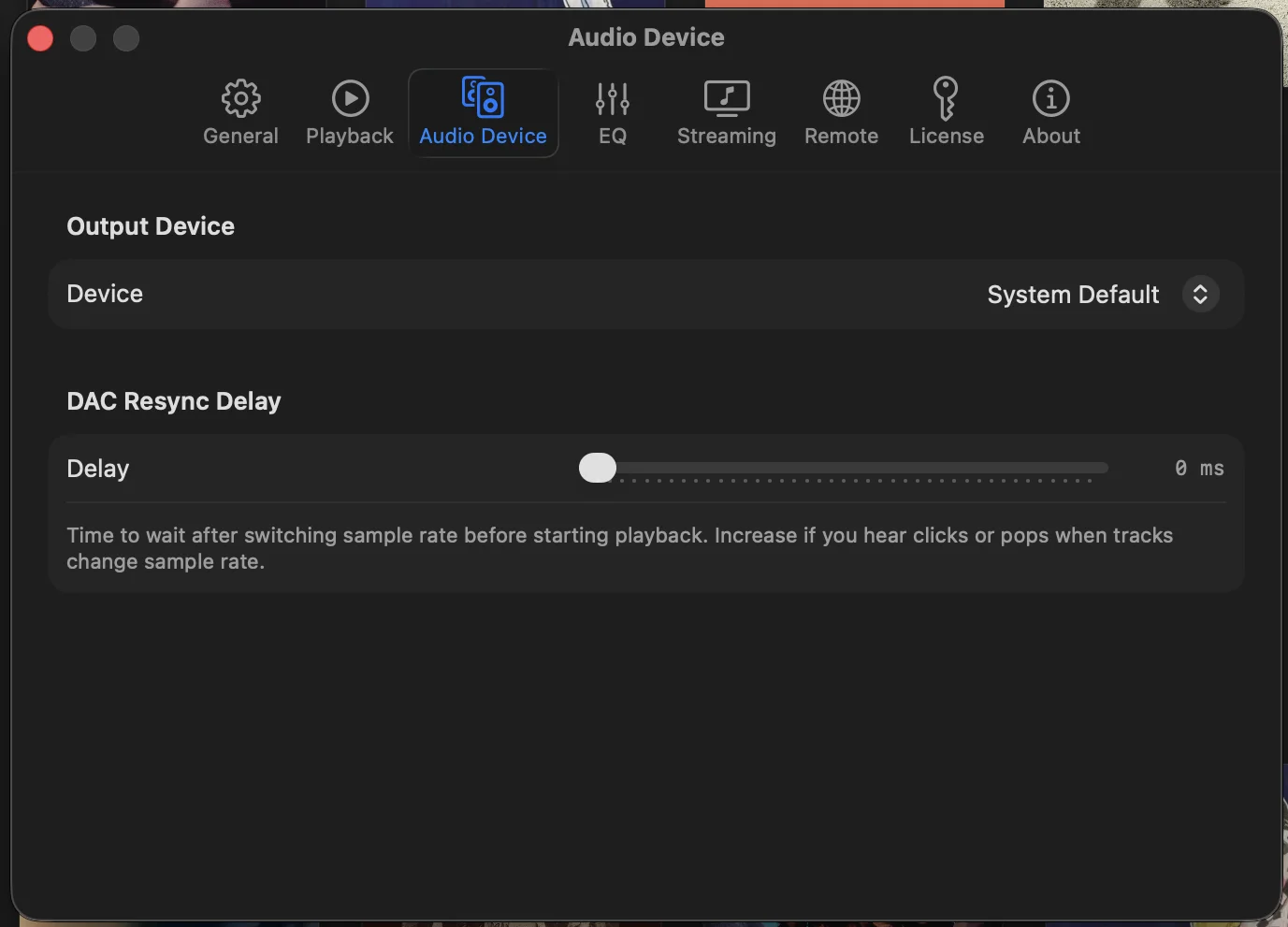
Both players take audio seriously. Both offer bit-perfect playback with exclusive DAC mode, bypassing the system mixer so your DAC receives an unaltered signal. Both support DSD, high-resolution PCM, and parametric EQ. Both let you configure your output chain with precision.
Audirvana has a longer track record in pure audio engineering and has spent years refining its playback engine. That history is worth acknowledging. If your sole priority is studio album playback through a high-end DAC chain, Audirvana's engine is proven.
Showboard is not on the Mac App Store, and that's deliberate. Apple's App Store sandbox blocks CoreAudio HAL exclusive mode, which is required for bit-perfect output. Rather than compromise on audio quality to get into the store, Showboard ships direct. You download it from the website, and your DAC gets the signal it was designed to receive.
Pricing
The two take different approaches here.
Audirvana Studio costs $7.99/month or $79.99/year, and covers local files, TIDAL, and Qobuz. It is a subscription, so the app keeps working for as long as the plan is active.
Audirvana Origin is $149.99, and that gets you local file playback only. No streaming integration. No TIDAL, no Qobuz, no nugs.net.
Showboard is free. That includes all six sources, every feature, and every future update. No subscription, no tier system, no feature gating. Download it and the app is yours.
The short version: Showboard is free across all six sources, while Audirvana is a subscription for streaming or a one-time license for local files only. Which one fits depends on how you listen more than on the sticker.
Platform support
Audirvana runs on Mac, Windows, and Linux. If you need cross-platform support, that matters and Audirvana delivers.
Showboard is macOS only. macOS 14 and later, Apple Silicon and Intel. This is a deliberate choice. CoreAudio's HAL exclusive mode, which enables true bit-perfect playback, is a macOS-specific API. Building exclusively for macOS means Showboard can go deep on platform-native features without cross-platform compromises. If you listen on a Mac, this is an advantage. If you need Windows or Linux, Showboard is not an option.
What Audirvana does well
Audirvana has earned its reputation. The playback engine is mature and well-tested. The audio processing pipeline is refined. Cross-platform support means you can use the same player on every machine in your house. The interface is clean and focused on the album listening experience. For someone who primarily listens to studio recordings and wants a polished, dedicated hi-fi player, Audirvana is a solid choice.
Where Showboard wins
If your library includes live recordings, Showboard is in a different category. No other player treats a concert as a first-class object with sets, sources, taper metadata, and venue context. No other player unifies nugs.net, Archive.org, Phish.in, TIDAL, Qobuz, and local files into a single browsable library. No other player lets you pull up Billy Strings at the Capitol Theatre on 2023-01-19 and see the SBD from nugs.net alongside three audience tapes from Archive.org, all in one view.
The concert diary tracks your listening over time. The venue explorer lets you browse by location. Source badges tell you whether you're hearing the board feed or a taper's rig before you hit play. These are not niche features. For live music listeners, they are the difference between a music player and a player that actually understands what you listen to and why.
The verdict
If you listen to studio albums, want multi-platform support, and don't collect live recordings, Audirvana is a capable player with years of refinement behind it.
If you collect live recordings, attend shows, subscribe to nugs.net, browse Archive.org, and want everything in one place with proper set breaks, source badges, and venue context, Showboard is the only player that speaks your language. It was built by a live music collector for live music collectors, and it shows in every detail.
The features are the real deciding factor, not the price. But since Showboard is free, there is nothing to weigh before you try it.
Download it, bring your whole collection over, and see how it feels. It costs nothing to find out whether it fits the way you listen.
Showboard vs Audirvana: quick questions
Is Audirvana subscription-only now?
Mostly, yes. Audirvana Studio is subscription-only at $7.99 a month or $79.99 a year, and Studio is the version that connects to TIDAL and Qobuz. There is still a one-time license, Audirvana Origin at $149.99, but it plays local files with no streaming, and the EQ and convolution tools cost a separate $89.99. So the perpetual option exists. It just leaves streaming behind the yearly plan.
Does Showboard have a subscription?
No. Showboard is free, and that covers all six sources and every future update. No tiers, no feature gating, no add-ons to buy later. Audirvana Studio is a subscription at $79.99 a year; Showboard is a free download. Different models, so it comes down to which one fits how you listen.
Can Audirvana organize my live concert recordings?
Not the way a collector wants. Audirvana treats every file as a track on an album, so a three-set show loads as a flat list: no set breaks, no SBD, AUD, or Matrix source badges, no taper notes, no venue context. Showboard was built around live recordings from the start, with a Concert Diary, a Venue Explorer, and source badges that tell you what you are hearing before you press play. If your library is studio albums, Audirvana is fine. If it is shows, that gap is the reason Showboard exists.
What about DSD and high-resolution playback?
Both players are bit-perfect through exclusive DAC mode, so a 24/192 file reaches your DAC untouched. DSD is where they part ways. Audirvana plays native DSD, the deeper toolset if a large DSD library is your priority. Showboard plays DSD as DSD64 over DoP, so if native DSD is what you live in, that distinction is worth weighing before you switch.
Related posts
Download Showboard. It's free.
Download for Mac