One Show, Every Source
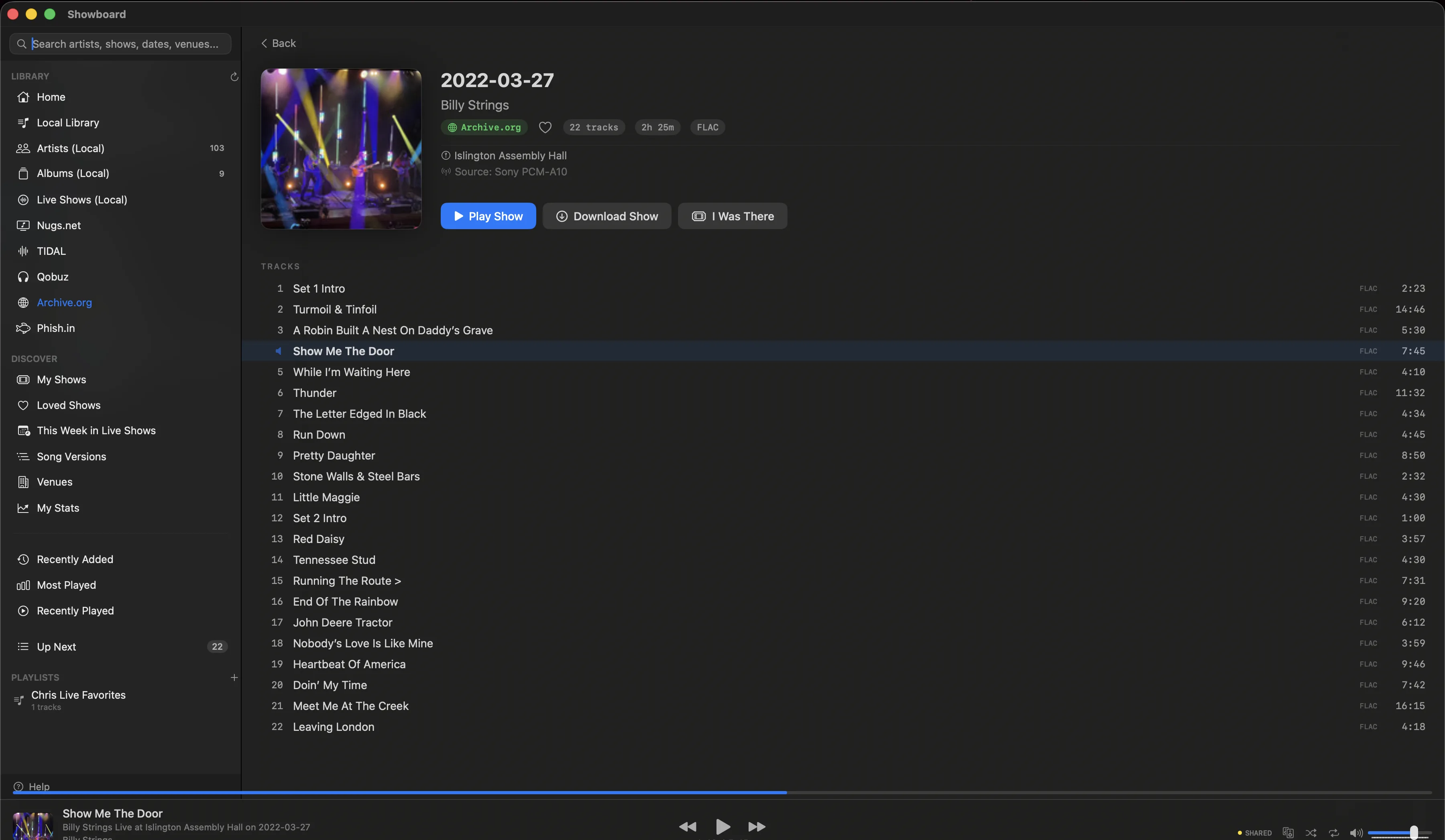
You know the argument. The board is dry, the AUD has the room, the matrix splits the difference. For one night, 5/8/77 Barton Hall, you might have all three plus the version a friend transferred. Showboard pulls every recording of a show under one header and lines them up: each one badged SBD, AUD, or Matrix, each one a click from playing.
So you can finally A/B the same night the way you have always wanted to. Start the soundboard, jump to the matrix at the same timestamp, hear which one breathes. No four browser tabs, no reading file names to guess the lineage, no losing your place. The recording is the decision, and Showboard makes the decision easy.
Set Breaks
Phish at MSG, 12/31/23. You want Set II. Every other player makes you scrub through two hours of music to find it. Showboard shows you Set I, Set II, Encore as distinct sections. Tap a set, start listening. The structure of the show is the structure of the player.
This is not metadata bolted on after the fact. Showboard parses set boundaries from every source it connects to. Whether it is a nugs.net stream, an Archive.org SBD, or a folder of FLACs you have carried since 2004, the sets are there. Because that is how live music works: the band takes a break, the energy resets, and the second set opens a different show. Your player should know that.
Source Type Badges
SBD. AUD. Matrix. You see the badge before you press play. No guessing, no clicking into some metadata panel, no squinting at file names. Grateful Dead at Barton Hall, 5/8/77: you have the Betty Board and three audience sources. Showboard labels each one so you can pick what you want in a second.
Color-coded by type, visible in every list view. Soundboards get one color, audience recordings another, matrices a third. When a show has multiple sources, you see them all side by side with their badges, ready to play from the one show, every source picker above.
Taper Notes
Behind every great recording is a taper who wrote down exactly what happened. Microphone placement, signal chain, A/D converter, transfer method. These notes are the provenance of the recording. Showboard displays them front and center, in monospaced text, the way they were meant to be read.
Source: Schoeps MK4V > Nbob KCY > Sound Devices MixPre-6 II (24/48) > SD Card > Audacity (tracking, fades) > FLAC
If you have ever chosen a source based on the mic rig, you know why this matters. Schoeps vs. Neumanns vs. a pair of Oktavas in the lawn. The taper notes tell you what you are about to hear before you hear it. Showboard pulls these from Archive.org, Phish.in, and your own local files. They are always one tap away.
And you can go one step further. Tap the person credited and you land on their whole body of work, every recording across your library and the Archive in order. That is the Taper Section, new in 1.6.
Jam Charts
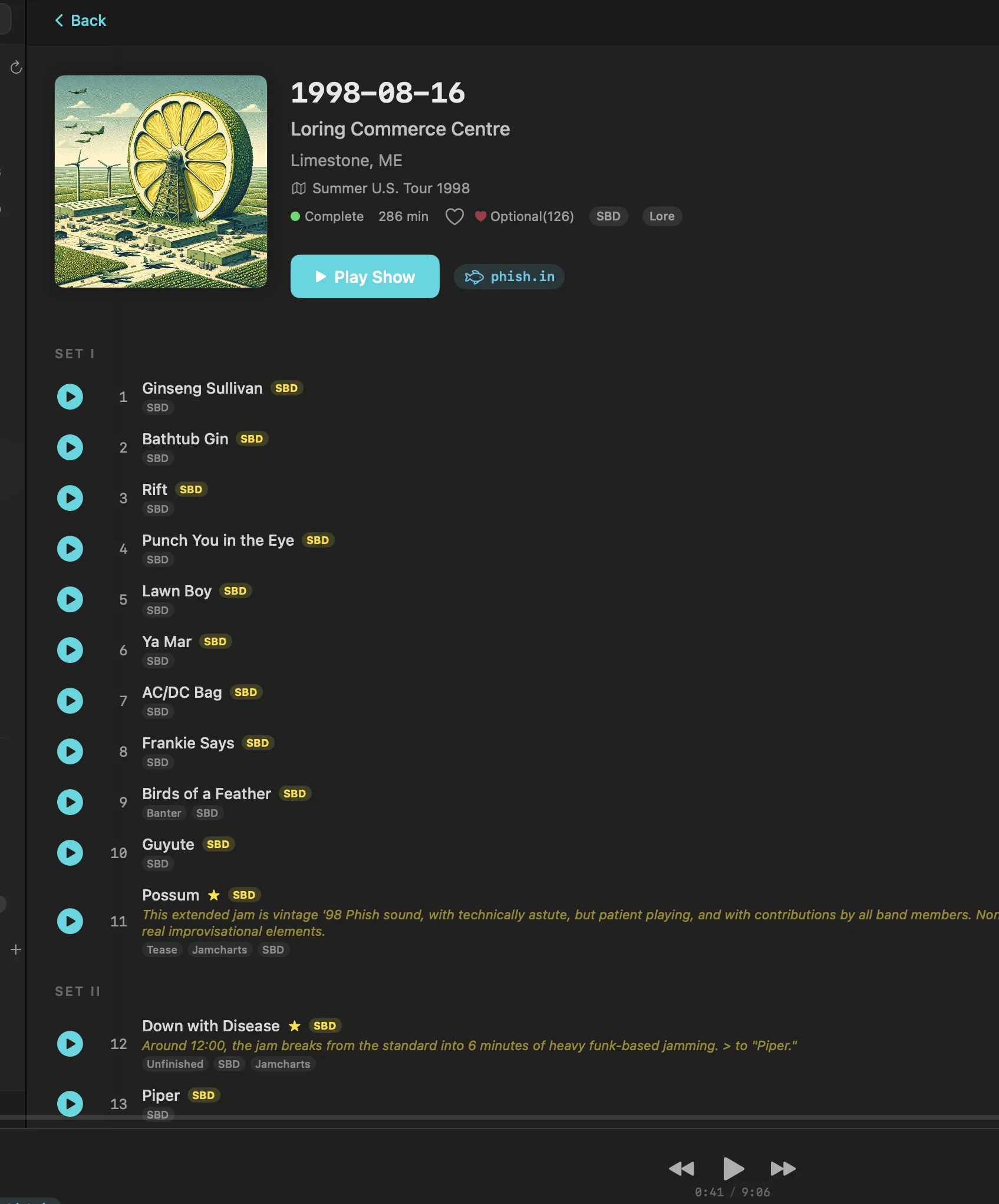
Not every Tweezer is the same. The community has spent years cataloguing which versions go somewhere special. Showboard surfaces those Jamcharts annotations right in the tracklist. A small star next to a song means this is one of the versions worth hearing.
Phish, 12/31/95, Madison Square Garden. That Tweezer Reprise closing the year. Or the Tahoe Tweezer from 8/13/13 at Lake Tahoe Outdoor Arena. Jamcharts marks them so you never have to wonder which night had the one. Browse any show and the annotations are already there, woven into the track listing. No separate app, no browser tab, no spreadsheet of dates you bookmarked somewhere.
Live Show Detection
Point Showboard at a folder. A hard drive of recordings from twenty years of trading. Folders named gd1977-05-08.sbd.miller.32926.sbeok.shnf that no other player can make sense of. Showboard reads the dates, parses the venues, identifies the artist, and files everything as a live show. No manual tagging. No renaming folders. No fixing metadata in some third-party app.
It handles the naming conventions the taper community actually uses. Etree-style folder names, info.txt files, FLAC tags, directory structures. Decades of recordings organized in seconds. Your collection becomes browsable by date, by venue, by artist, the moment you add it.
Venue Explorer
Pick a venue. Red Rocks. The Gorge. The Capitol Theatre. Madison Square Garden. Showboard shows you every show at that venue, across every source you have connected. Your local files, nugs.net streams, Archive.org recordings, all in one list. Sorted by date. Every night that happened in that room.
Some venues just sound different. The way Red Rocks throws sound into the Colorado night. The way MSG wraps around you. Venue Explorer lets you chase that feeling. Browse forty years of shows at a single room, across artists, across sources. Find the night you were there. Find the night you wish you had been.
Common questions
What is the difference between SBD, AUD, and Matrix recordings?
SBD is a soundboard feed taken straight off the mixing console: clean and direct, sometimes dry. AUD is an audience recording made with microphones in the crowd: it captures the room and the energy, with more ambience. Matrix blends a soundboard and an audience source into one mix to get the clarity of the board with the feel of the room. Showboard badges each recording SBD, AUD, or Matrix so you know what you are about to hear before you press play.
Can I compare different recordings of the same concert?
Yes. Showboard groups every recording of a show under one header and lets you pick which one to play. For a single night you can line up the soundboard, an audience tape, and a matrix side by side, each with its source badge, and switch between them to hear which version sounds best to you.
Is a soundboard always the best recording of a show?
No. A soundboard is clean but can sound dry and miss the room. A good audience recording often captures the energy and space of the venue better, and a matrix can give you both. The best source depends on the night and the taper. Showboard shows the source badge and the taper notes for each recording so you can choose, instead of assuming the board wins.
Does Showboard show set breaks and taper notes for live shows?
Yes. Showboard reads set boundaries from every source it connects to and shows Set I, Set II, and Encore as distinct sections, so you can jump straight to the set you want. It also displays the taper notes, including mic placement and signal chain, pulled from Archive.org, Phish.in, and your local files.