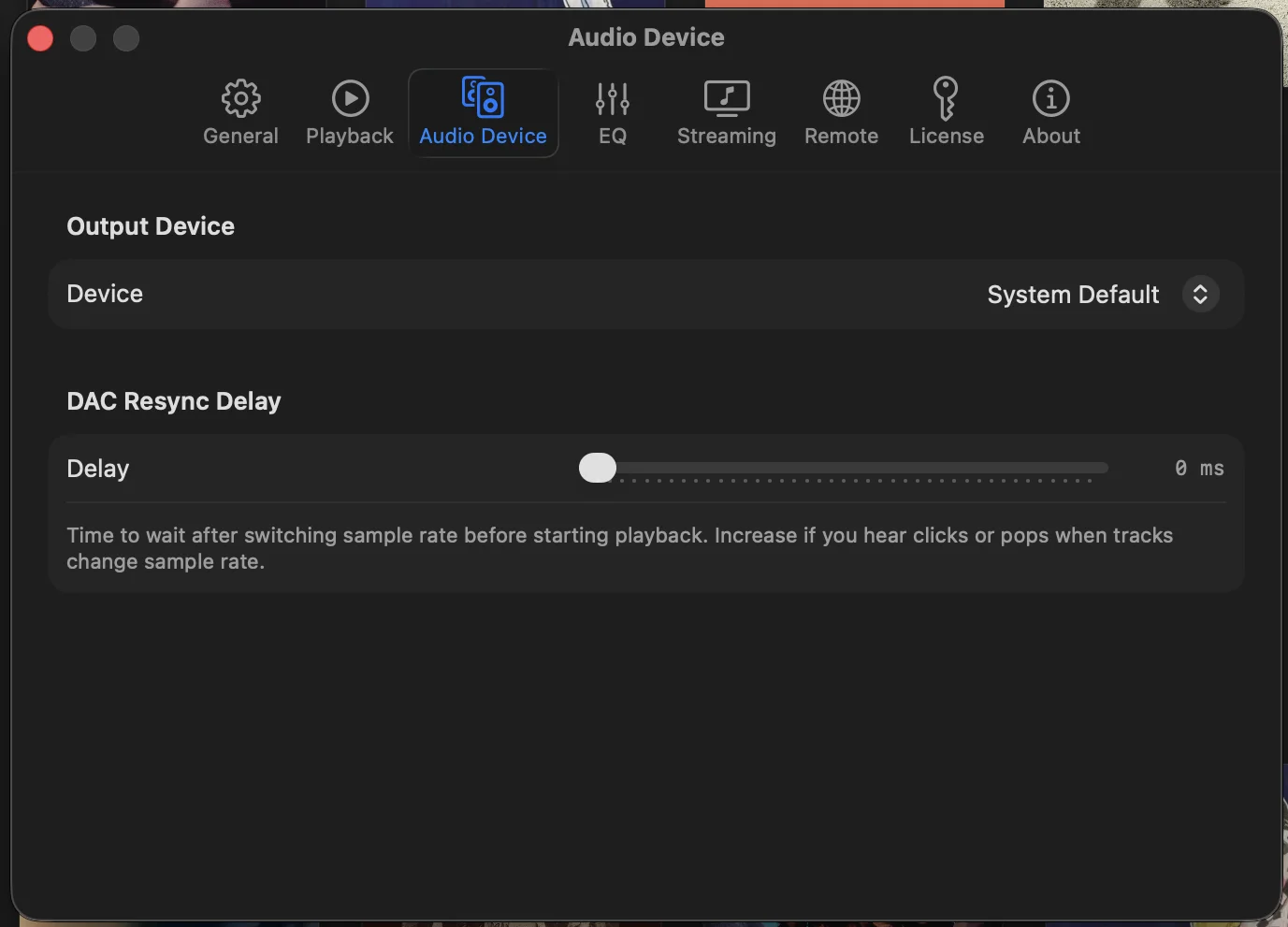
Exclusive Mode
Showboard uses CoreAudio HAL to take exclusive control of your DAC. The macOS mixer is bypassed entirely. No resampling, no volume normalization, no interference from system sounds or other apps. What the taper recorded is what hits your headphones.
Most music players on the Mac send audio through the system mixer, which resamples everything to a single output rate and applies its own processing. Showboard sidesteps all of that. The signal path is your file, the CoreAudio HAL driver, and your hardware. Nothing else touches the stream.
Automatic Sample Rate Switching
Your DAC switches to match every file. Play a 44.1 kHz soundboard from 1997, then a 192 kHz studio master, then a 96/24 audience recording from last weekend. Showboard handles the switching instantly. No manual trips to Audio MIDI Setup.
This is one of those things you stop thinking about once it works. The DAC locks to the native rate of each track as it starts. Your hardware does what it was designed to do, and you hear the difference on recordings where the sample rate actually matters.
Gapless Playback
Zero-gap transitions across all sources. The segue from Tweezer into Tweezer Reprise plays the way it happened. Local files and streams alike. If the band didn't stop, neither does Showboard.
Gapless isn't just a nice-to-have when you listen to live music. A gap in a continuous set breaks the illusion entirely. Showboard pre-buffers the next track and crossfades at the sample level so transitions are continuous whether you're playing local FLAC files or streaming from nugs.net.
Play It Anywhere, Still Bit-Perfect
The bit-perfect path is for your DAC. But not every listen is at the desk. Showboard sends to AirPlay when you want the kitchen speaker, and it streams to a BluOS system when you want the whole house. The exclusive-mode chain to your DAC stays exactly as it was. Output to another room is a separate, deliberate choice, not a downgrade applied behind your back.
BluOS systems show up on their own through mDNS, so there's no setup beyond turning them on. Send a 1995 soundboard to the living room while the 24/96 master keeps its full resolution at your headphone rig. One library, one app, and the recording goes wherever you're sitting that night.
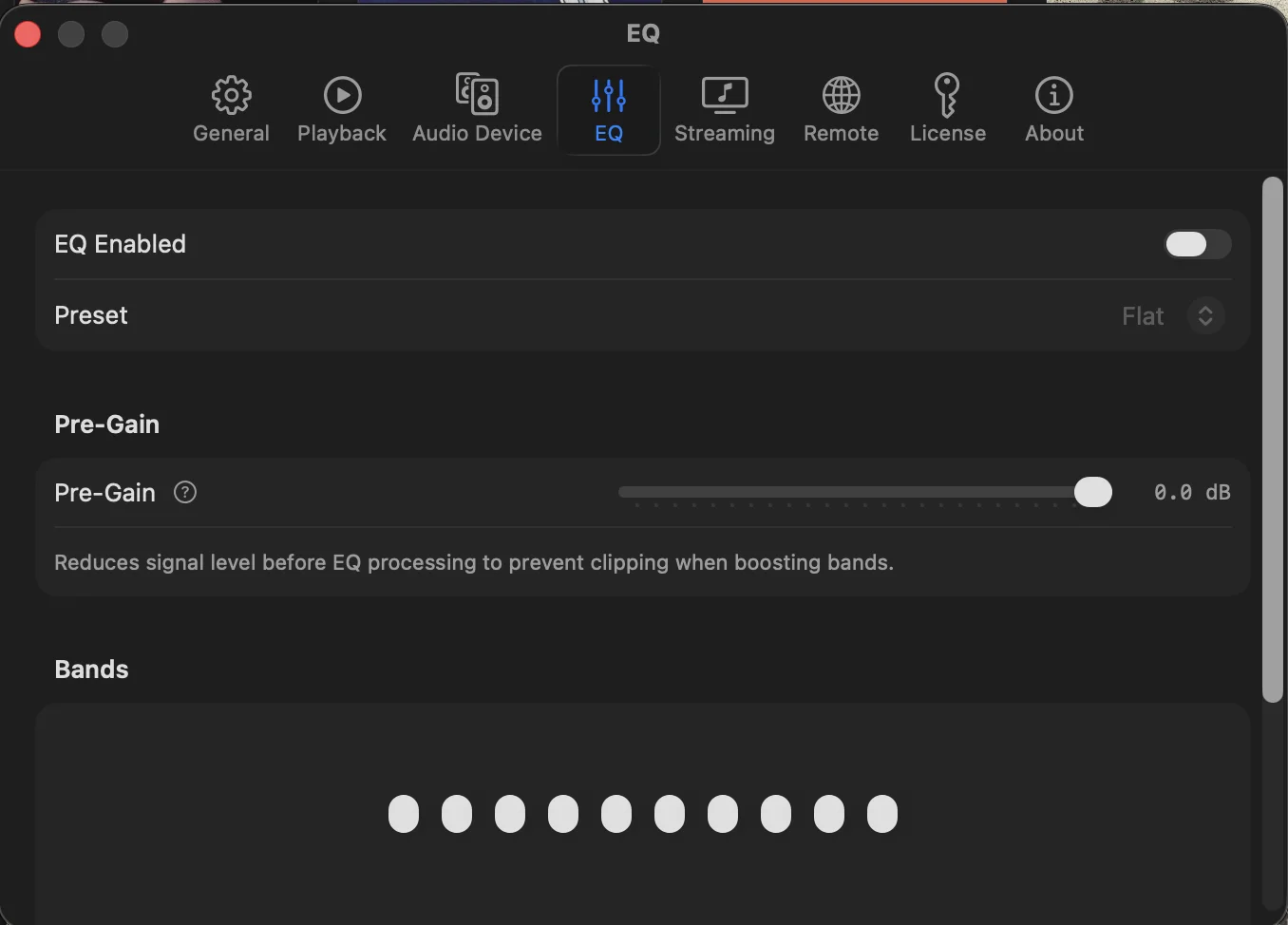
Parametric EQ
10-band parametric equalizer with 6 presets. Tame a harsh audience recording or shape the low end of a soundboard. Adjust frequency, gain, and Q per band. Apply settings per-source or globally.
Not every recording sounds the same, and that's especially true with live music. A close-mic'd SBD from Red Rocks sounds nothing like an AUD from a small club. The parametric EQ gives you precise control without flattening the character of the recording.
Headphone Crossfeed
Blends the stereo field for headphone listening the way speakers do naturally. When you listen on speakers, each ear hears both channels with a slight delay and level difference. Crossfeed recreates that acoustic reality in your headphones.
The result: reduced fatigue on long listening sessions without sacrificing detail or imaging. Particularly noticeable on older audience recordings with hard-panned stereo. Three intensity levels let you dial in the amount that sounds right on your setup.
Format Support
If you have it, Showboard plays it.
Why Not the Mac App Store?
Apple's App Store sandbox blocks the low-level CoreAudio HAL access that makes exclusive mode work on the Mac. A sandboxed app can't take exclusive control of an audio device. That control is the whole foundation of bit-perfect playback on macOS, and it isn't something we were willing to give up. So Showboard ships as a direct download instead.
It's notarized by Apple, which means macOS has already checked it for malware before it ever runs. Updates arrive on their own through Sparkle, the same framework behind Firefox and VLC. This is a Mac decision, rooted in how CoreAudio works on the desktop. Better sound was the priority, and the App Store couldn't carry it.
Common questions
What is exclusive mode on Mac?
Exclusive mode is when a player takes exclusive control of your DAC through CoreAudio HAL instead of routing audio through the macOS system mixer. With exclusive mode on, system sounds, volume normalization, and resampling are all out of the path. The bits in your file are the bits that reach the DAC. Showboard uses CoreAudio HAL exclusive mode for every source, local and streaming.
Does Showboard do bit-perfect playback?
Yes. Showboard plays bit-perfect on Mac through CoreAudio HAL exclusive mode with automatic sample rate switching, so a 44.1 kHz soundboard and a 24/192 master each play at their native rate with no resampling. Nothing sits between the file, the HAL driver, and your hardware.
Does Showboard support DSD?
Yes. Showboard plays DSD at DSD64 via DoP (DSD over PCM). FLAC plays up to 384 kHz / 32-bit, alongside ALAC, WAV, AIFF, WavPack, MP3, AAC, and OGG.
Can I send the audio to other rooms?
Yes. Beyond the bit-perfect path to your DAC, Showboard outputs to AirPlay and to whole-home BluOS systems, which appear automatically over mDNS. The exclusive-mode chain to your DAC is unchanged. Sending to another room is a separate choice you make per listen.