Showboard vs Audirvana: Which Music Player Is Right for You?
Both Showboard and Audirvanaare audiophile music players for Mac. Both care about bit-perfect playback, exclusive DAC mode, and getting out of the way so your hardware can do what it was designed to do. But they were built for different listeners with different collections and different priorities. Here's how they compare.
Who they're built for
Audirvana is built for the hi-fi enthusiast. Someone who invests in studio albums, curates a library of reference recordings, and spends time optimizing their signal chain from source to speaker. It does that job well and has been doing it for over a decade.
Showboard is built for the live music collector. The person with 4TB of FLACs organized by date and venue. The person who subscribes to nugs.net, browses Archive.org for audience tapes, and still argues about which night of a three-night run was the best. If you have ever opened three different apps in one listening session because your recordings are scattered across three different sources, Showboard exists because of that exact frustration.
Live music features
This is where the two players diverge completely. Audirvana treats every file the same way: as a track in an album. It has no concept of a live show as a distinct object. No set breaks, no source type badges, no taper notes, no venue information, no concert diary. If you load a three-set Phish show from Big Cypress into Audirvana, it shows up as 30 tracks in an album. The context of the night is gone.
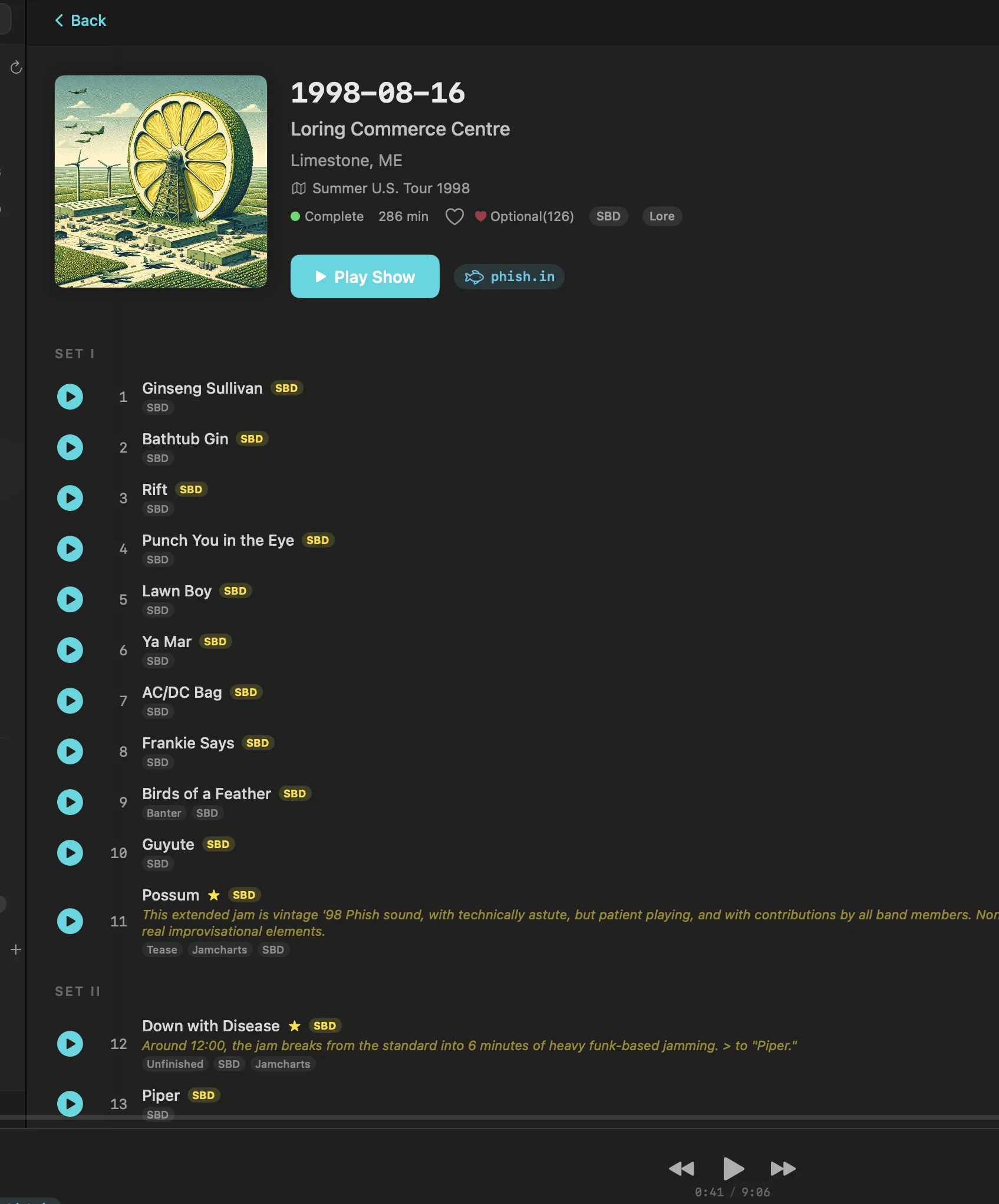
Showboard was designed around live recordings from the ground up. Every show has set breaks. Every recording carries a source badge (SBD, AUD, Matrix) so you know what you're hearing before you press play. Taper notes are displayed alongside the recording. The venue explorer lets you browse by location and see every show that happened there. The concert diary tracks what you've listened to over time, building a personal listening history tied to real dates and real venues.
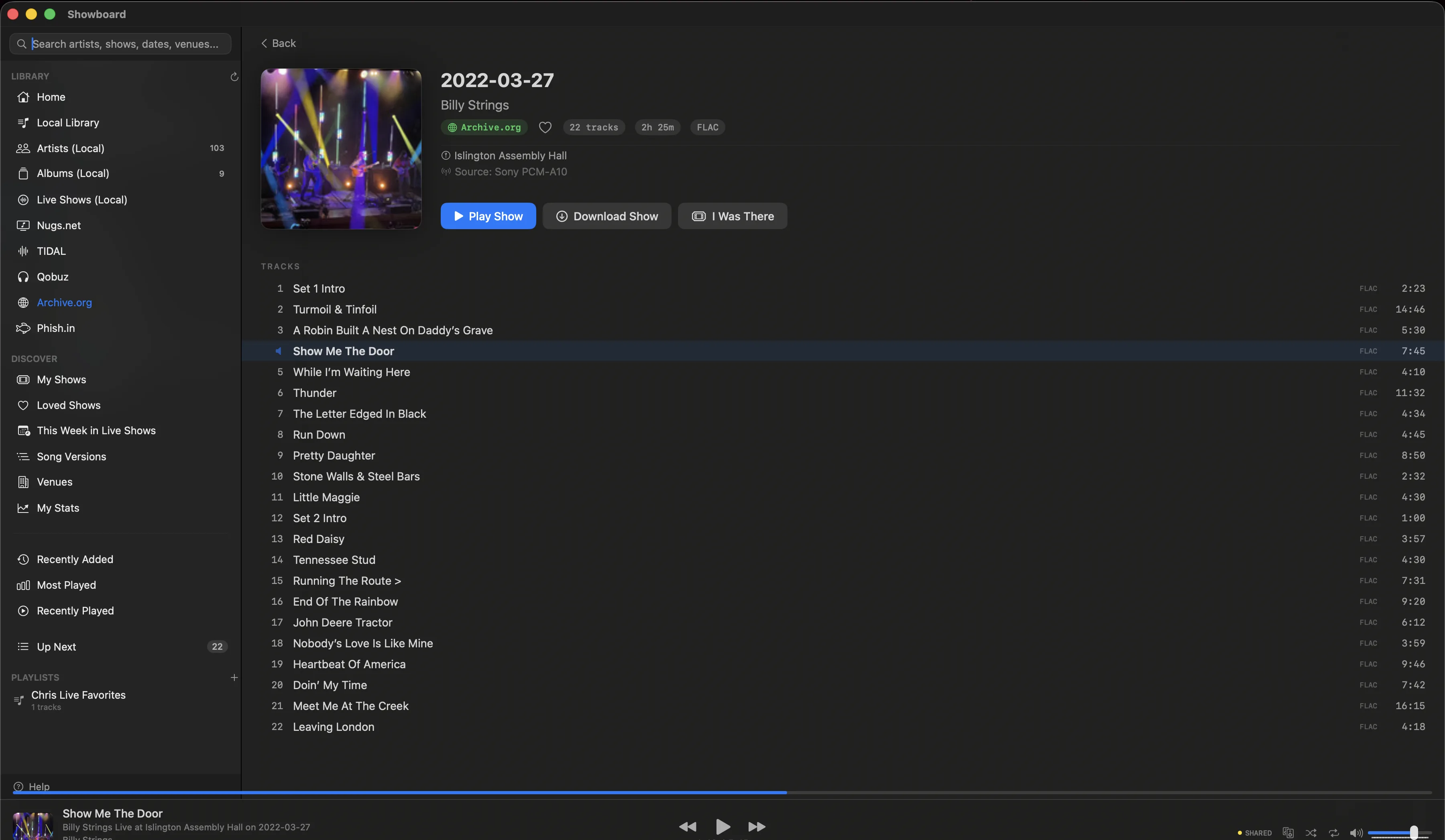
Pull up Goose at Red Rocks on 2023-09-09 in Showboard and you see two sets, the source type, the taper, the venue, and every song in order. Pull up the same files in Audirvana and you see a list of tracks. Same music, completely different experience.
Sources
Audirvana comes in two versions. Audirvana Studio connects to local files, TIDAL, and Qobuz. Three sources. Audirvana Origin connects to local files only. Neither version supports nugs.net, Archive.org, or Phish.in. If your collection spans those services, Audirvana cannot see it.
Showboard connects to six sources: local files, nugs.net, TIDAL, Qobuz, Archive.org, and Phish.in. All six appear in a single library. You can search across all of them at once, browse by artist or date, and move between a nugs.net soundboard and an Archive.org audience tape of the same show without switching apps. The whole point is that your collection lives in one place regardless of where the recordings actually come from.
Audio quality
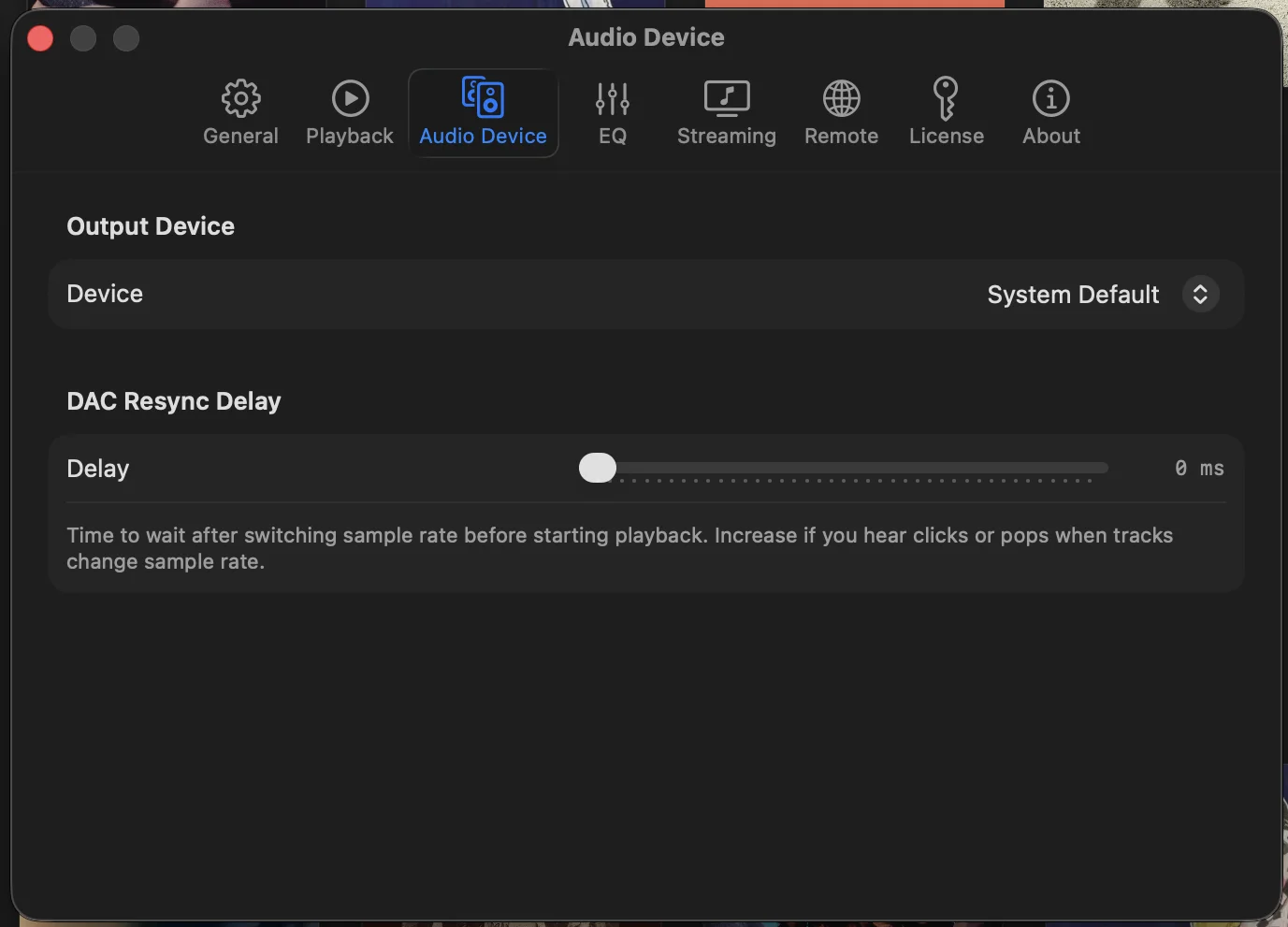
Both players take audio seriously. Both offer bit-perfect playback with exclusive DAC mode, bypassing the system mixer so your DAC receives an unaltered signal. Both support DSD, high-resolution PCM, and parametric EQ. Both let you configure your output chain with precision.
Audirvana has a longer track record in pure audio engineering and has spent years refining its playback engine. That history is worth acknowledging. If your sole priority is studio album playback through a high-end DAC chain, Audirvana's engine is proven.
Showboard is not on the Mac App Store, and that's deliberate. Apple's App Store sandbox blocks CoreAudio HAL exclusive mode, which is required for bit-perfect output. Rather than compromise on audio quality to get into the store, Showboard ships direct. You download it from the website, and your DAC gets the signal it was designed to receive.
Pricing
This is where it gets interesting.
Audirvana Studiocosts $7.99/month or $79.99/year. That includes local files, TIDAL, and Qobuz. After two years you've paid $159.98 and you still need to keep paying to keep using the app.
Audirvana Origin costs $149.99 as a one-time purchase. That gets you local file playback only. No streaming integration. No TIDAL, no Qobuz, no nugs.net.
Showboard costs $39.99. One time. That includes all six sources, every feature, and every future update. There is no subscription. No tier system. No feature gating. You pay once and the app is yours.
Put another way: Showboard with six sources and every feature costs less than five months of Audirvana Studio. It costs roughly a quarter of Audirvana Origin, which only plays local files. After a year, Audirvana Studio has cost you $95.88 for three sources. Showboard is still $39.99 for six.
Platform support
Audirvana runs on Mac, Windows, and Linux. If you need cross-platform support, that matters and Audirvana delivers.
Showboard is macOS only. macOS 14 and later, Apple Silicon and Intel. This is a deliberate choice. CoreAudio's HAL exclusive mode, which enables true bit-perfect playback, is a macOS-specific API. Building exclusively for macOS means Showboard can go deep on platform-native features without cross-platform compromises. If you listen on a Mac, this is an advantage. If you need Windows or Linux, Showboard is not an option.
What Audirvana does well
Audirvana has earned its reputation. The playback engine is mature and well-tested. The audio processing pipeline is refined. Cross-platform support means you can use the same player on every machine in your house. The interface is clean and focused on the album listening experience. For someone who primarily listens to studio recordings and wants a polished, dedicated hi-fi player, Audirvana is a solid choice.
Where Showboard wins
If your library includes live recordings, Showboard is in a different category. No other player treats a concert as a first-class object with sets, sources, taper metadata, and venue context. No other player unifies nugs.net, Archive.org, Phish.in, TIDAL, Qobuz, and local files into a single browsable library. No other player lets you pull up Billy Strings at the Capitol Theatre on 2023-01-19 and see the SBD from nugs.net alongside three audience tapes from Archive.org, all in one view.
The concert diary tracks your listening over time. The venue explorer lets you browse by location. Source badges tell you whether you're hearing the board feed or a taper's rig before you hit play. These are not niche features. For live music listeners, they are the difference between a music player and a player that actually understands what you listen to and why.

The verdict
If you listen to studio albums, want multi-platform support, and don't collect live recordings, Audirvana is a capable player with years of refinement behind it.
If you collect live recordings, attend shows, subscribe to nugs.net, browse Archive.org, and want everything in one place with proper set breaks, source badges, and venue context, Showboard is the only player that speaks your language. It was built by a live music collector for live music collectors, and it shows in every detail.
At $39.99 one-time versus $149.99 for local-only playback or $79.99/year for streaming, the price is not close either. Showboard gives you more sources, more features, and a permanent license for a fraction of the cost.
Try it free for 14 days. Bring your whole collection. You'll know within the first session whether this is the player you've been looking for.
Related posts
Try Showboard free for 14 days.
Download for Mac