How to Play Archive.org Recordings in High Quality
The Internet Archive's Live Music Archiveis one of the greatest collections of concert recordings ever assembled. Tens of thousands of shows from hundreds of artists, all free and legal, uploaded by tapers who were in the room. Grateful Dead, Phish, Widespread Panic, Umphrey's McGee, Billy Strings, Goose. If you collect live music, you have spent time on Archive.org.
You have probably also streamed those recordings through your browser. And you have probably noticed that something sounds off.
What your browser is doing to those recordings
When you press play on an Archive.org recording in your browser, you are not hearing the original file. The Archive's web player transcodes on the fly. That FLAC file the taper uploaded? Your browser is receiving a compressed derivative. The lossless quality the taper captured is reduced before it reaches your ears.
It gets worse. Browser audio goes through your operating system's audio mixer, which resamples everything to whatever sample rate your system is set to. A 48kHz recording gets resampled to 44.1kHz (or vice versa) with no indication that it happened. The signal path from file to your speakers has multiple layers of processing that the taper never intended.
And gapless playback? Forget it. Every track loads independently. When “Tweezer” transitions into “Tweezer Reprise” at Alpine Valley 2019, your browser inserts a gap. The segue that made the crowd lose their minds is replaced by a half-second of silence.
The old workaround: download everything
The traditional fix is to download the FLAC files and play them locally. This works, but it is slow and tedious. Find the show, click through to the right source, download a zip or individual files, wait, unzip, import into a player, hope the metadata is right. For one show, fine. For a night of exploring, it kills the momentum.
You end up with a folder of downloaded shows that you need to organize, name correctly, and manage alongside the rest of your collection. Every show is a small project.
The better way: stream the originals directly
Showboard connects to Archive.org's Live Music Archive as a native source. No browser, no transcoding, no downloads required. You search for an artist or a date, see every available recording, and press play. Showboard streams the original files at their native quality.
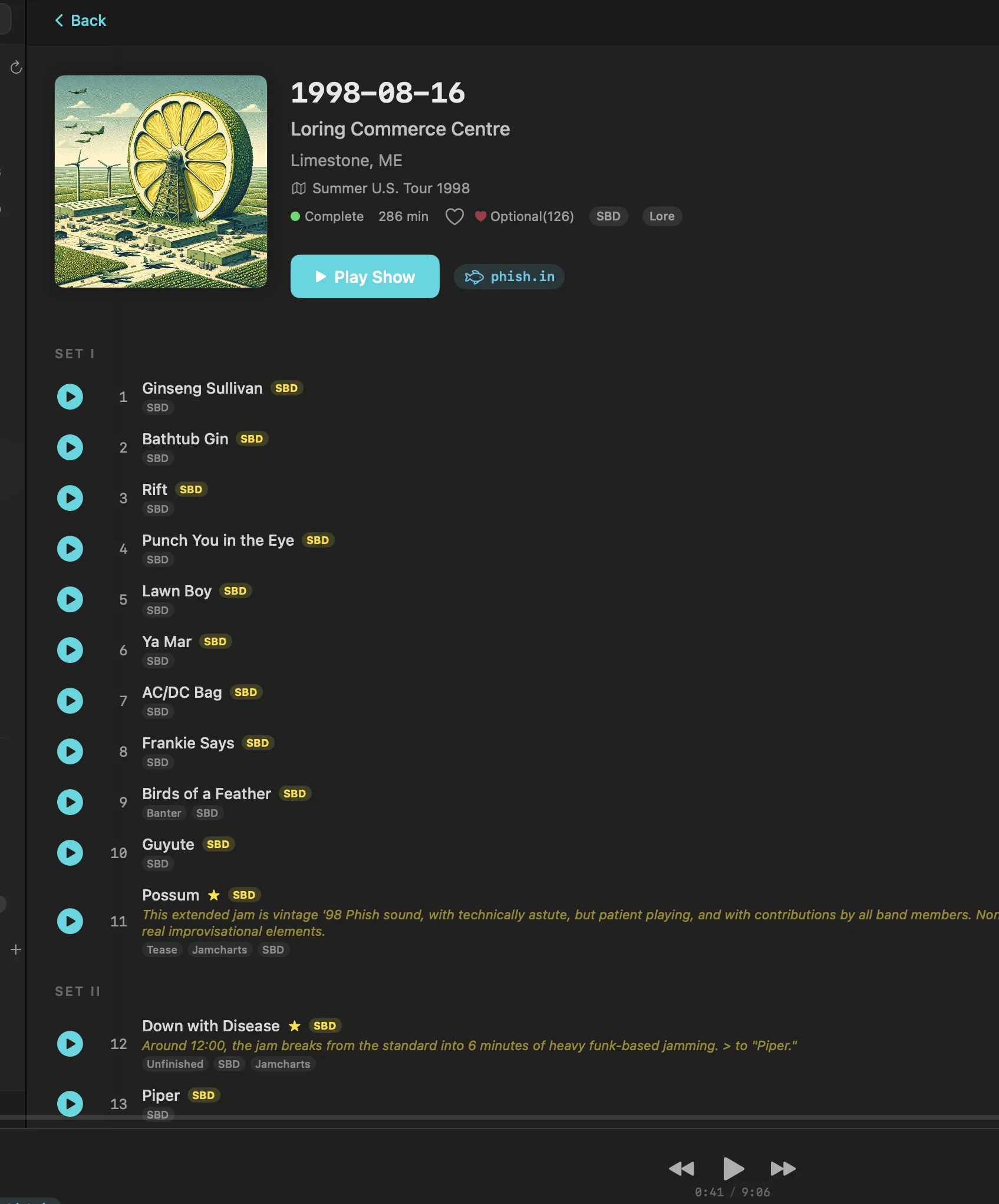
Here is what changes:
Lossless playback. Showboard streams the FLAC files directly. No transcoding, no compression. What the taper uploaded is what you hear. If the recording is 48kHz/24-bit, that is what reaches your DAC.
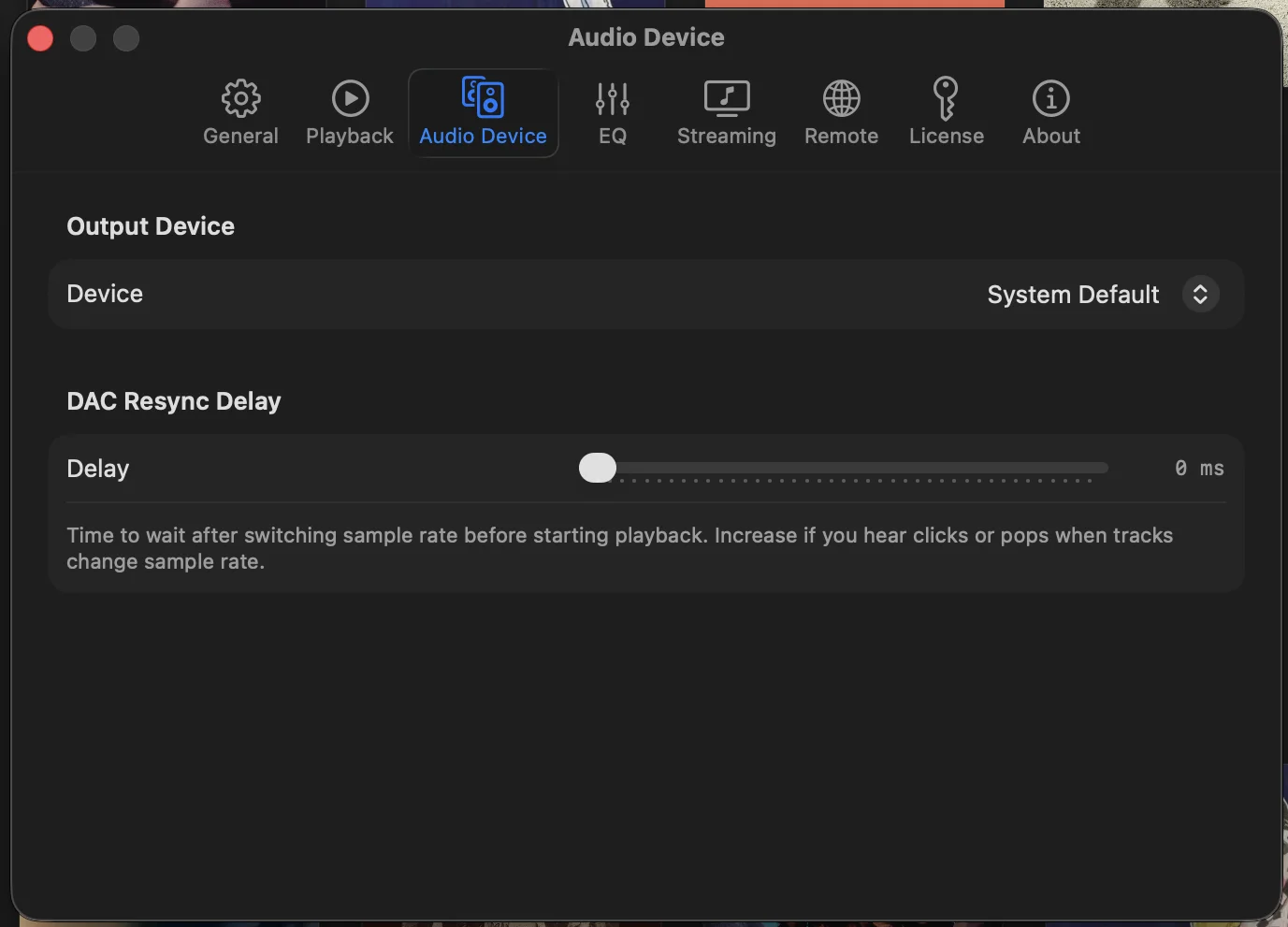
Bit-perfect output. Showboard uses CoreAudio exclusive mode to bypass the macOS audio mixer entirely. Your DAC receives the audio stream with no OS-level processing. Sample rate switches automatically to match each recording. The signal path is clean from source to speaker.
Gapless playback.Tracks flow into each other the way they were performed. No gaps, no glitches, no half-second of silence between songs. The 1973-11-11 Winterland “Dark Star” > “Morning Dew” transition sounds the way it did in the room.
Set breaks and source types. Every recording displays its structure. Set I, Set II, Encore. Source type badges tell you whether you are hearing a soundboard, audience tape, or matrix. Taper notes are right there, not buried three clicks deep on a web page.
Download support. If you find a recording you want to keep, download it to your local library directly from Showboard. No browser, no zip files. It lands in your library organized and ready to play offline.
It is not just Archive.org
Archive.org is one of six sources in Showboard. Your local files, nugs.net, TIDAL, Qobuz, and Phish.in all sit alongside it. Search for Dead & Company 2023-06-15 at Citi Field and see the nugs.net SBD in 24-bit FLAC, the Archive.org audience tapes, and your own recording from the pit. One search across everything.
The Song Versions feature lets you pick a song and see every performance across all sources. Compare “Sugaree” across decades. The Venue Explorer lets you browse by location. Every show at The Capitol Theatre, across every artist, across every source.
How to get started
Download Showboard for macOS. The 14-day free trial includes full Archive.org integration with no restrictions. Open the app, navigate to the Archive.org source, and search for any artist in the Live Music Archive. Press play.
That recording you have been streaming through your browser for years? You have never actually heard it at full quality. Now you can.
$39 one-time. No subscription. No account required for Archive.org playback. Your live recordings deserve better than a browser tab.
Related posts
Try Showboard free for 14 days.
Download for Mac